


Do you possess an extensive collection of documents in your libraries?
Efficient organization of a substantial document collection ensures seamless management, regardless of its size.
In this article, We’ll share a few best practices I know when it comes to SharePoint document management.
Let’s get started.
To make the necessary changes to implement the practices below, you will need at least administrative access.
1. Tag documents with metadata
Do you heavily use folders in your document library?
Well, it makes sense since we’re all used to creating folders on our Windows machines. It’s also not technically a bad thing.
However, the better option to manage your documents more efficiently is to use tags instead.
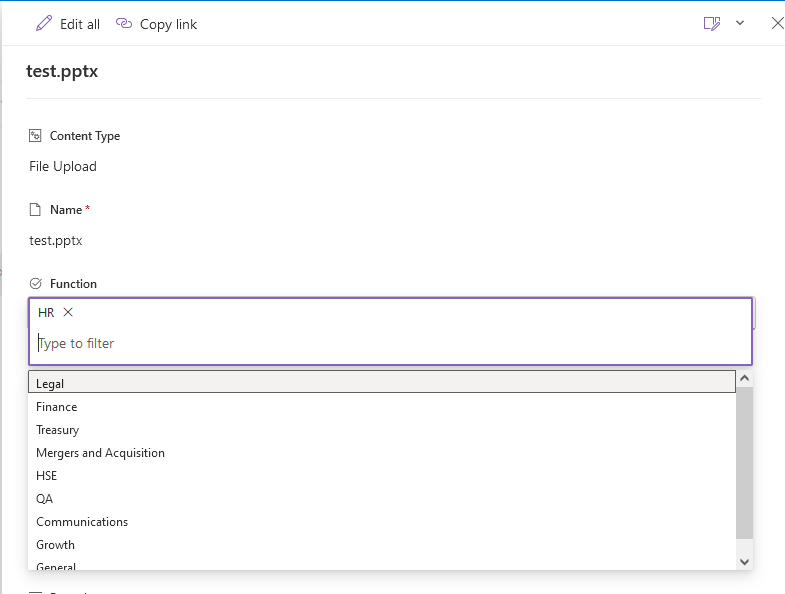
Why use tags? Here are some benefits of using metadata in your document library:
- Filter functions and highlighted content
- More efficient record management
- Useful for retention policies
2. Configure and use content types
It helps if you can have a different document library for each type of content that you need.
Unfortunately, there are many instances when different types of content are uploaded into a single document library.
This leads to two problems:
- Will you assign the same type of metadata to each document? Even if they’re not the same type?
- Does this mean you will have so many metadata fields to set up to accommodate all the content types?
Fortunately, there is a solution to this. All you need to do is create your content type and set up dynamic metadata.
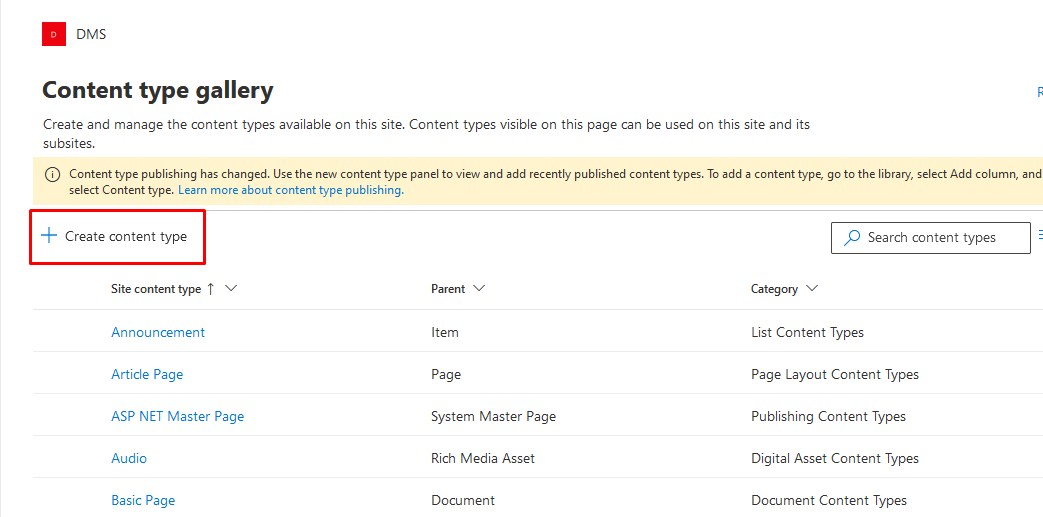
This allows you to configure the list of metadata depending on the type of content that was uploaded to the document library.
You can also reuse the content type on other sites, lists, and libraries in your collection. You can create as many as you want.
3. Modify permissions for different content
Do all your users need to see the contents of all the document libraries in your site collection?
If not, then it might be better to set up unique permissions that will restrict users to only seeing documents that they need to see.
It’s a good way to put more security on your documents, especially the most sensitive ones, and prevent unauthorized or accidental edits on those documents.
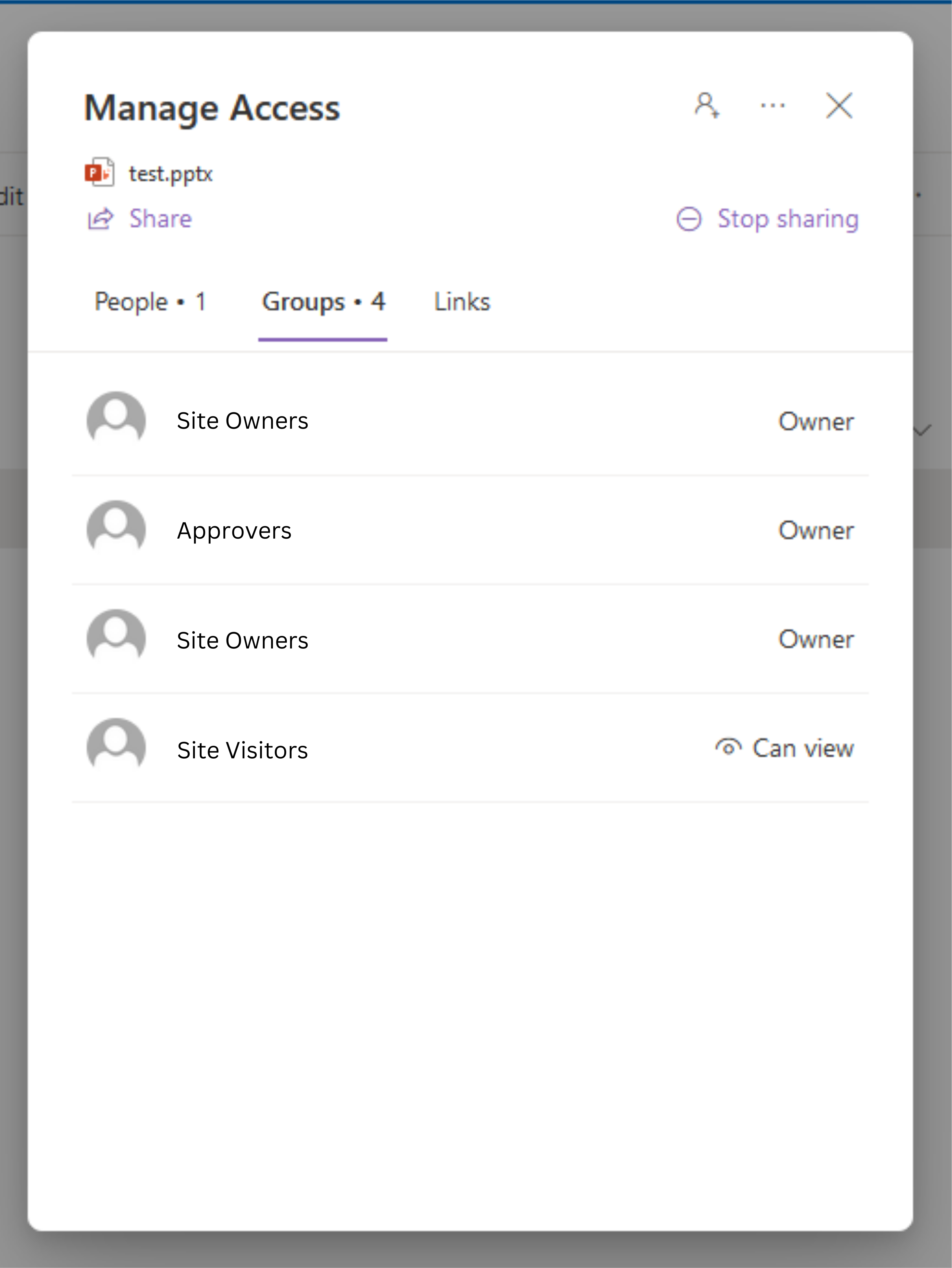
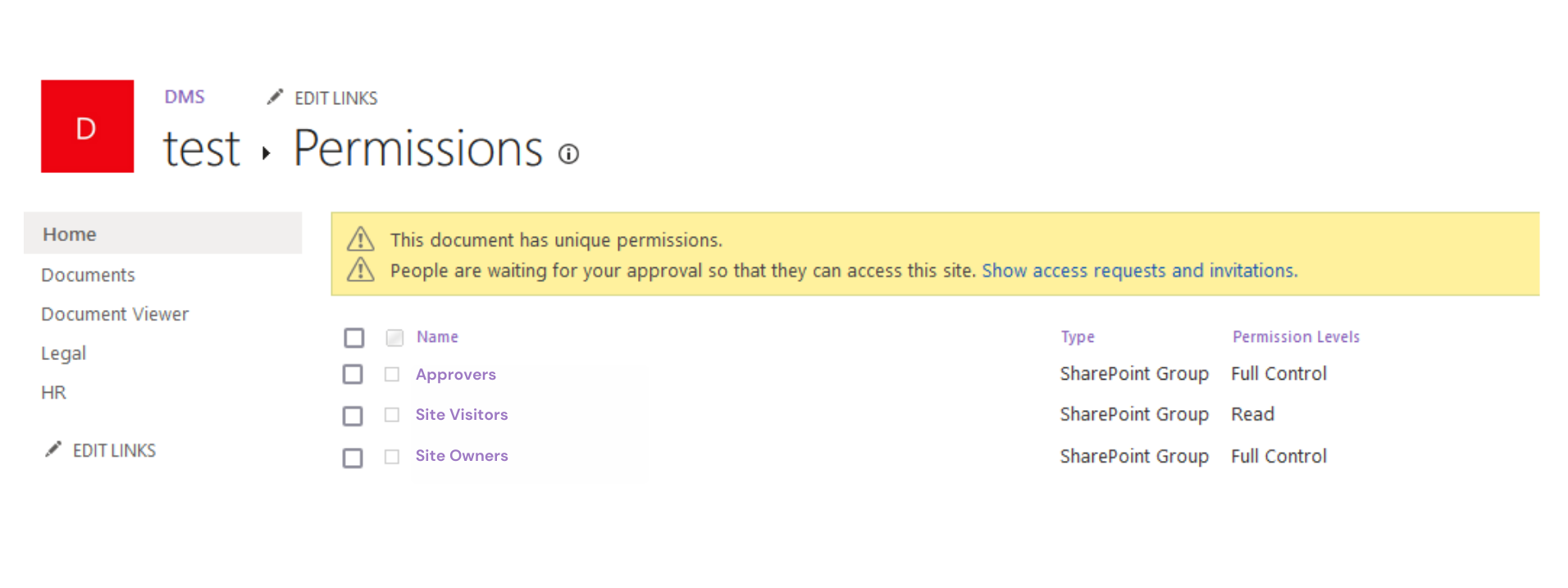
At the bare minimum, make sure that users only have read-only access to all the libraries in your tenant.
They may be able to see the contents. However, their visitor access limits them from editing the content on the files.
4. Set up notification alerts
Do you find yourself always thinking about the libraries in your tenant?
The best solution to this is to create email notification alerts that will send you an email depending on a trigger that you specify.
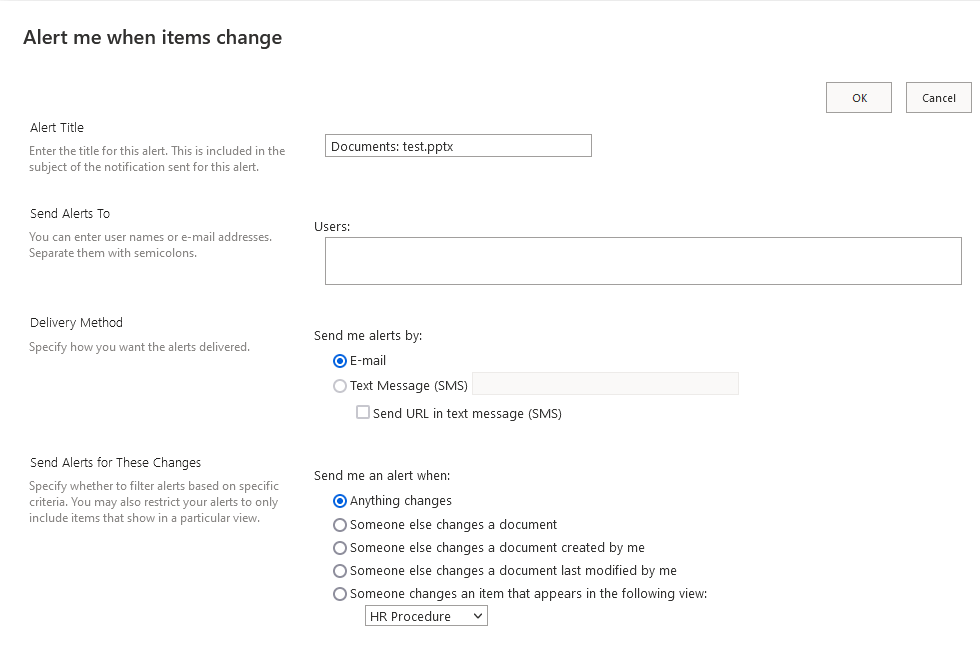
The best part here is setting up these alerts is easy. You can be done in as little as two or three minutes.
There is an option where you can set up alerts straight from the list or library. You can also do it using Power Automate.
5. Create as many views as you need
Do you know that you can set up as many views as you need?
Unfortunately, this is only available if you set up metadata beforehand. Otherwise, your views will feel a little hollow.
The views you create will sort or group the documents however you want, which makes it easy for users to show information regarding the documents.
In addition, you can also set up filters in the view that look like this:
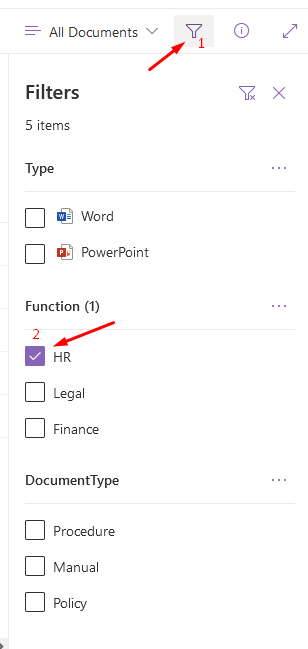
Once again, this is why I always stressed out the importance of tagging documents and creating content types.
6. Be moderate with the built-in Approval feature
Do you need more restrictions on the file level?
The approval feature gives only the approved version of the document to other users to review when the Document Approver can take action on the latest submitted version of the same.
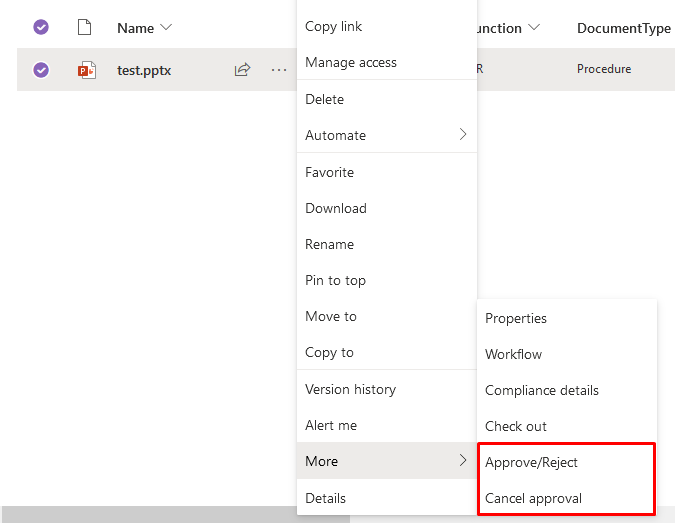
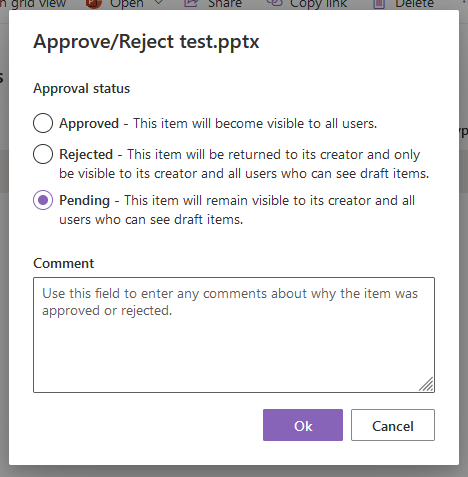
This may seem a bit contrary. But if you think this is unnecessary, then you can disable this feature as it will add more steps for end users.
This will help in security when you want to show content only after moderation by the administrator.
Another thing you might want to consider for the reasons is the version control feature. You always have the linear version history of the document where you can audit changes in the file.
Start your SharePoint journey today and witness the seamless integration of technology and teamwork, shaping a brighter, more efficient future for your business!
What’s the Real ROI of SharePoint Syntex for Your Organisation?
Get a practical ROI calculator + implementation checklist used by enterprises to modernize SharePoint with AI, without trial-and-error.
