


In PowerApps Canvas, you can integrate Power Automate by adding flow triggers directly within your app. This allows you to automate processes and workflows seamlessly. Simply add a Power Automate trigger to a button or any other control to initiate actions such as sending emails, creating records, or updating data across different services.
This integration enhances the app’s functionality and streamlines operations.
Create Power Automate flow
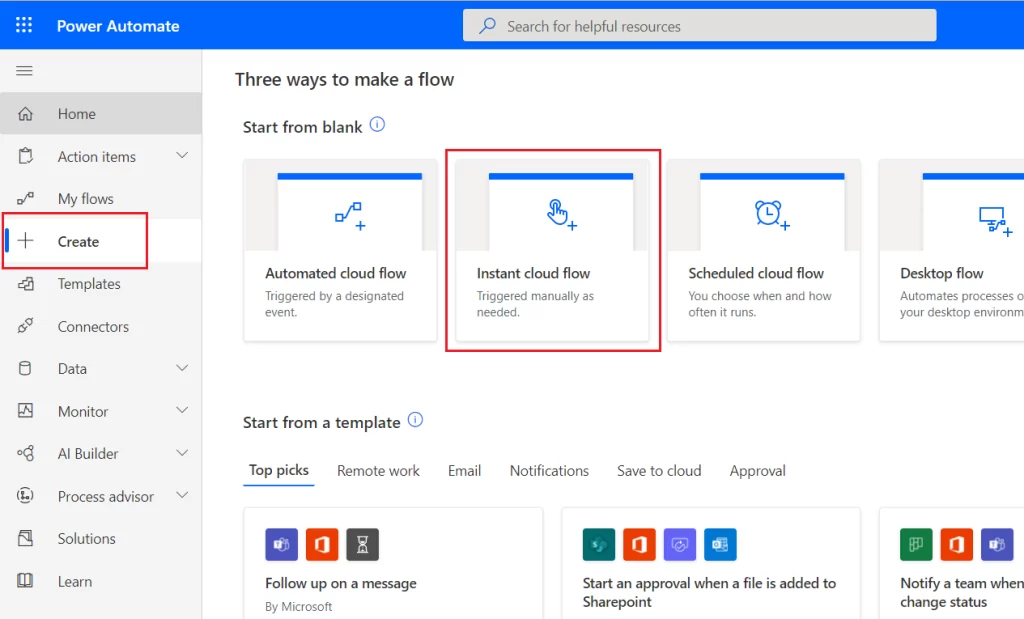
- Go to Power Automate then click on create button and select Instant cloud flow.
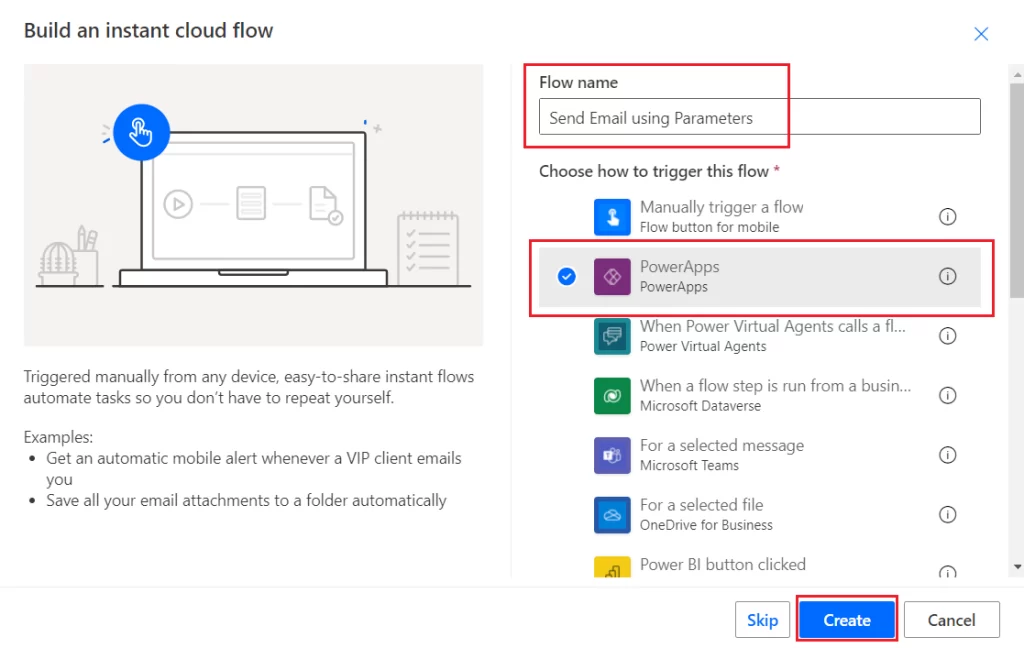
- Give name to the flow and choose PowerApps as a trigger as shown below
- Now we want two parameters from PowerApps text boxes, so we will initialize two string variables.
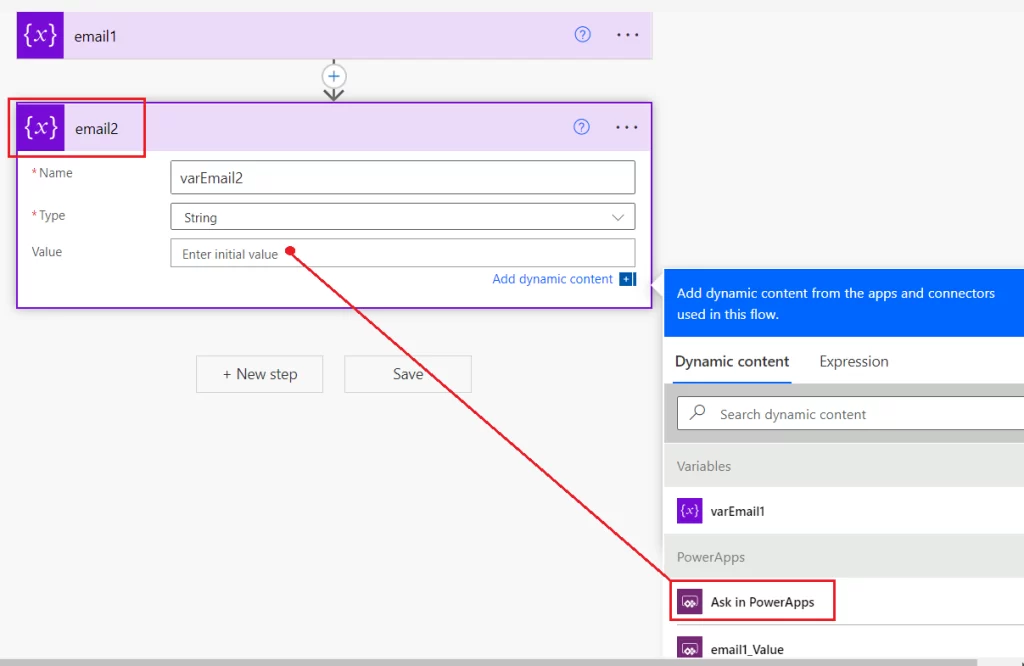
- Initialize the first variable with the name varEmail1 and choose the type as a string. Also, rename the action name to “email1”. Renaming the action name will create a parameter with that name.
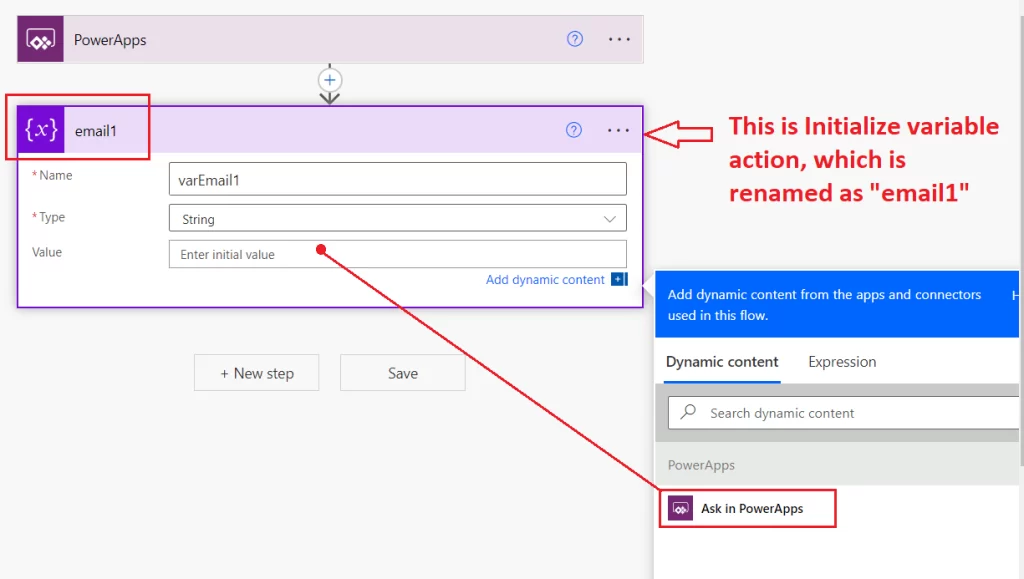
Once you click on “Ask in PowerApps”, it will create a parameter with that name. See the below screenshot:
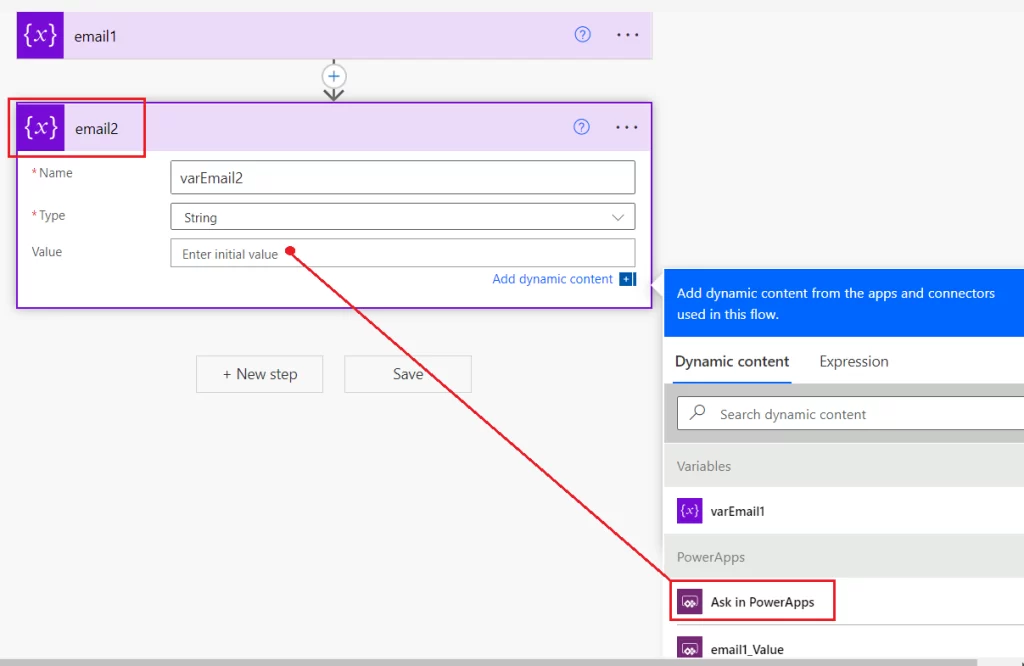
- Similarly, initialize the second variable with the name varEmail2 and choose the type as a string. Also, rename the action name to “email2”.
Once you click on “Ask in PowerApps”, it will create a parameter with that name. See the below screenshot:
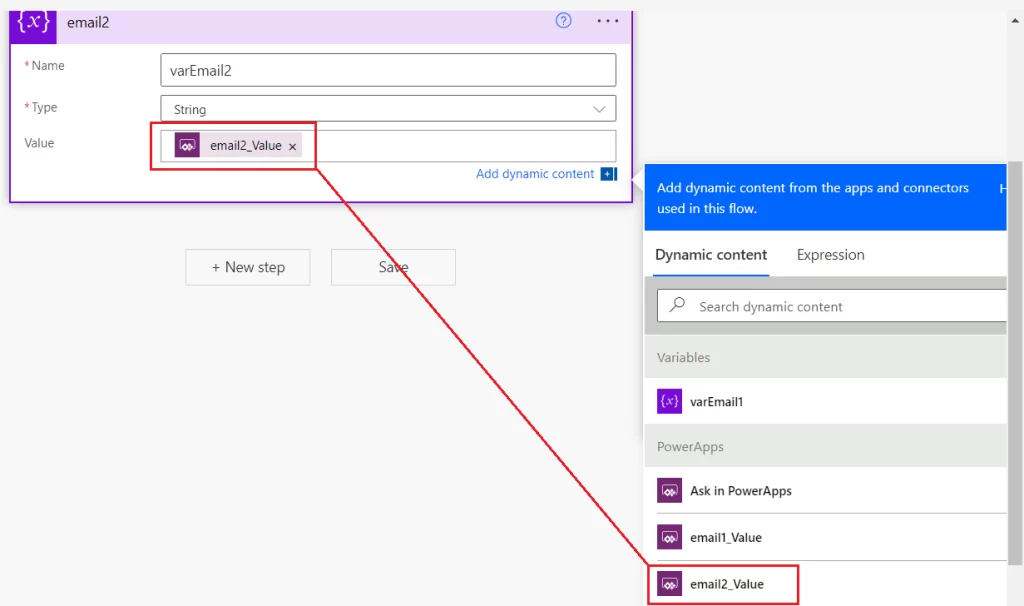
Save the flow and we will use this flow in our canvas app.
Create Canvas App.
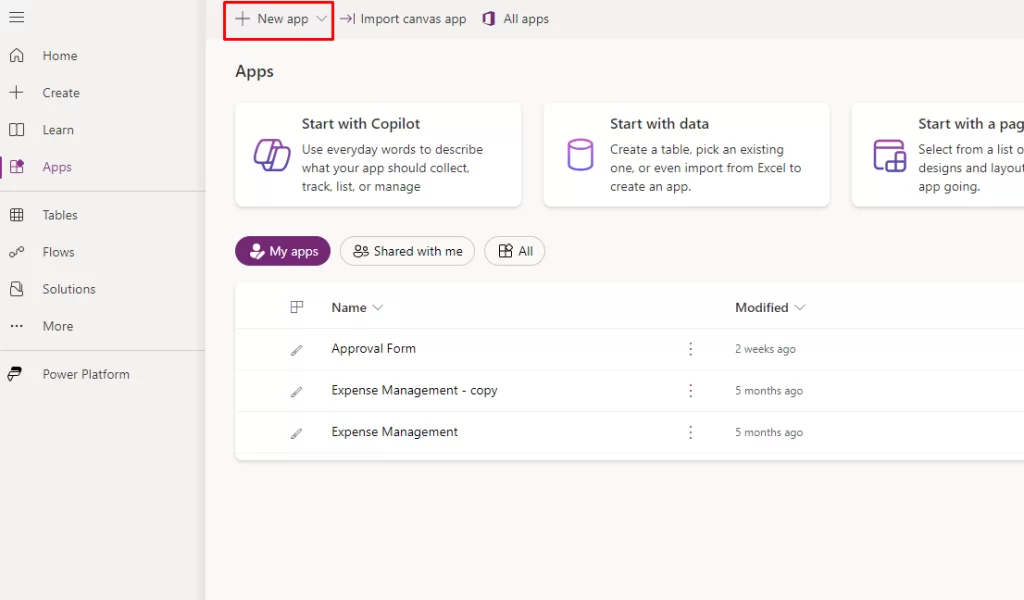
- Go to PowerApps then Create a canvas app and add two text boxes and a button on the screen
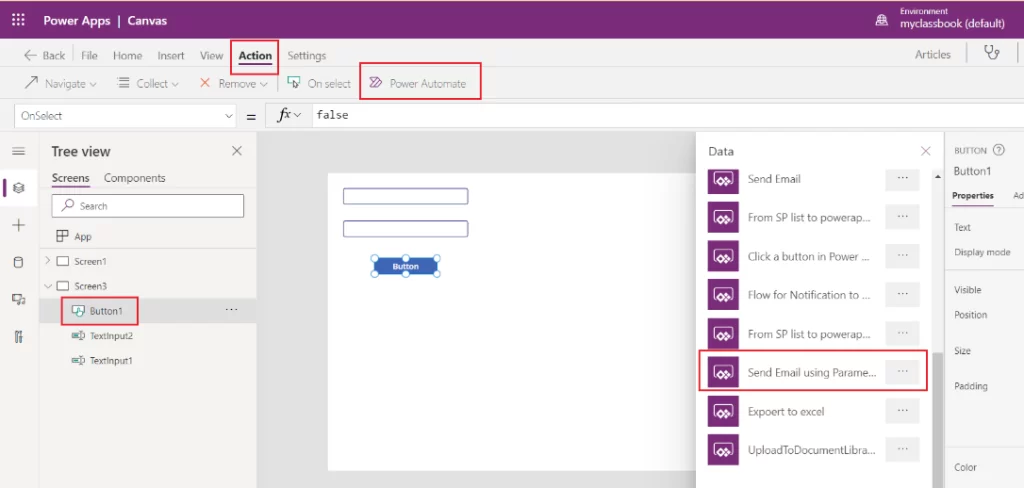
- Select the button and navigate to the Action tab and you will find the option to add a Power Automate.
- From the list of available instant flows, click on the recently created flow, i.e. “Send Email using Parameters”
- Once the flow is added, it will ask you to pass the parameters that we created in the power automate.
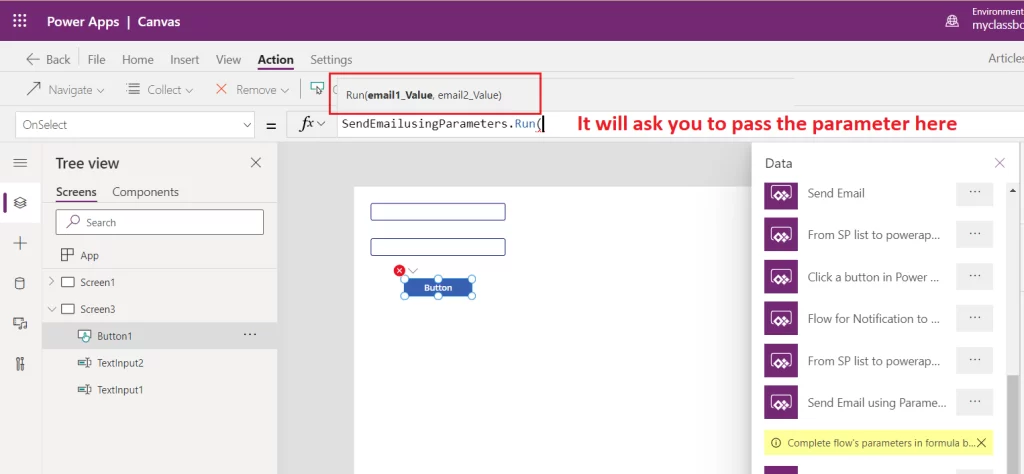
- In this case, we will pass the two email addresses from two text boxes as shown below:
SendEmailusingParameters.Run(TextInput1.Text,TextInput2.Text)- Now when you click on the button, these parameters will be passed to the Power Automate and flow will send email to those email addresses.
Considerations and Limitations:
- Performance Impact: Frequent or complex flows may slow down your app’s performance.
- Execution Limits: There are limits on the number of flows runs and API calls that can be executed per user and per flow.
- Latency: There might be a delay in flow execution due to dependencies on external services and network latency
- Error Handling: Ensure robust error handling within your flows to manage failures and exceptions effectively.
What’s the Real ROI of SharePoint Syntex for Your Organisation?
Get a practical ROI calculator + implementation checklist used by enterprises to modernize SharePoint with AI, without trial-and-error.
